Engaged Views vs Public Views
Engaged Views vs Public Views
On August 24, 2026, YouTube changed what the public view counter measures. Video Stats tracks both kinds of view, and lets you choose which one is your headline number. This article explains what changed, where to set it, and how Video Stats calculates each number.
What YouTube Changed
| Public view | Engaged view | |
|---|---|---|
| Counted when | Playback starts: the first frame, autoplay included | Someone clicks to watch, or keeps watching past the opening seconds |
| Where it shows | The counter under the video on YouTube | YouTube Studio, and anything tied to earnings |
| Before August 24 | Didn't exist for long-form | Was simply called a "view" |
An engaged view is the old view. For long-form videos, every view count from before August 24 already measured engaged views.
The change applies to long-form videos, podcasts and live streams. Shorts moved to first-frame counting earlier, in 2025.
Public counts now run noticeably higher than engaged views on recent videos, because they include autoplay in feeds and on channel pages. Your audience didn't grow; the counter changed.
Why It Matters for Your Numbers
Most Video Stats metrics divide by views: link click rate, conversion rate, leads per 1,000 views, and the underperforming video detection. If those used public views, recent videos would look like they convert worse, even when nothing changed.
That's why engaged views are the default. They keep your rates comparable with everything you tracked before August 24.
Choosing Your Headline Number
Go to Settings → YouTube and scroll to View Counting.
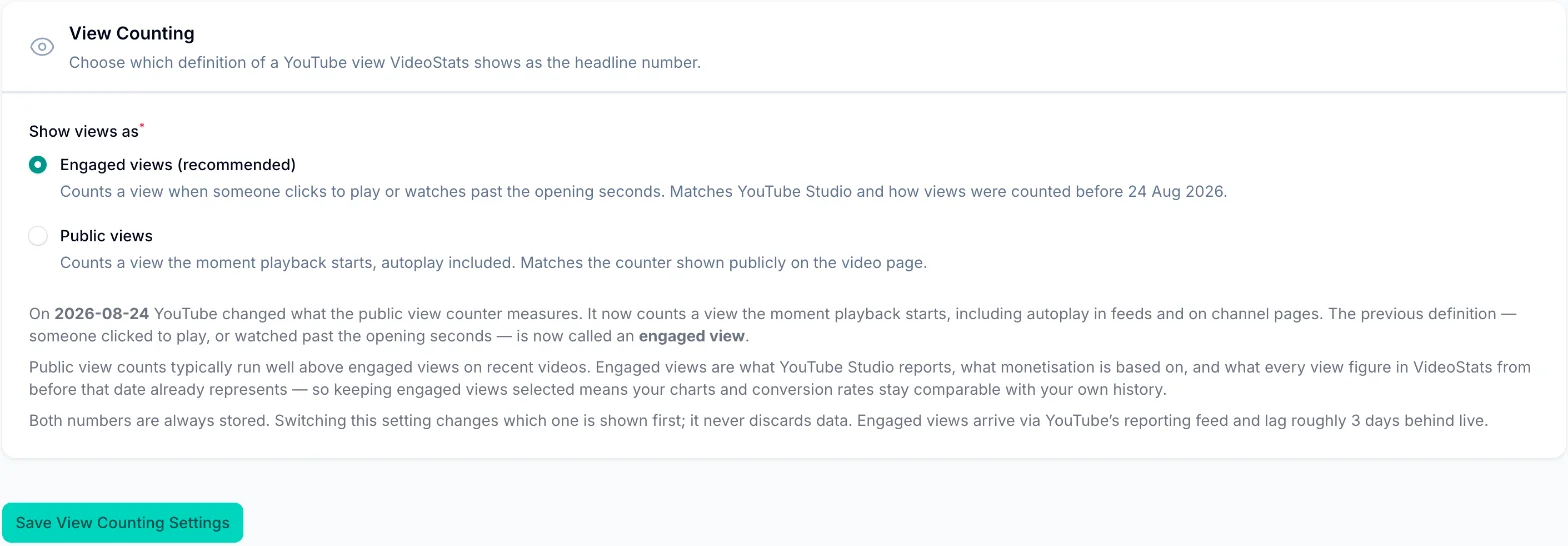
Choose one:
- Engaged views (recommended): counts a view when someone clicks to play or watches past the opening seconds. Matches YouTube Studio and your history from before August 24.
- Public views: counts a view the moment playback starts, autoplay included. Matches the counter on the video page.
Click Save View Counting Settings.
Switching never discards data. Video Stats always stores both numbers. The setting only changes which one is shown first across your dashboard.
Switching Views on a Single Video
On any video's stats page (Video Performance → View Stats), use the Views basis dropdown under the date range to flip that page's charts between engaged and public views.
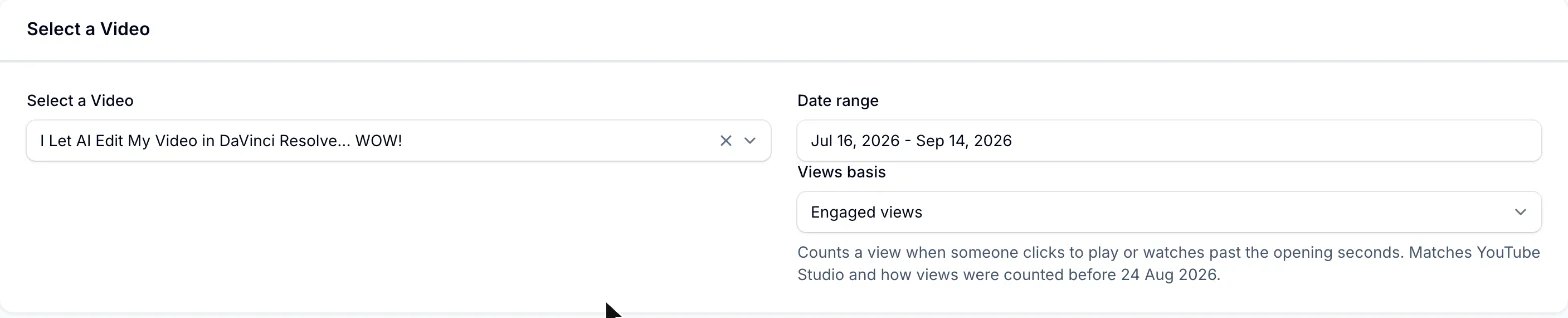
This doesn't change your workspace setting. It's a quick way to compare the two for one video.
Reading the Views Chart
The Views Over Time chart on a video's stats page shows both numbers at once:
- Solid line: engaged views
- Dotted line: public views, for comparison
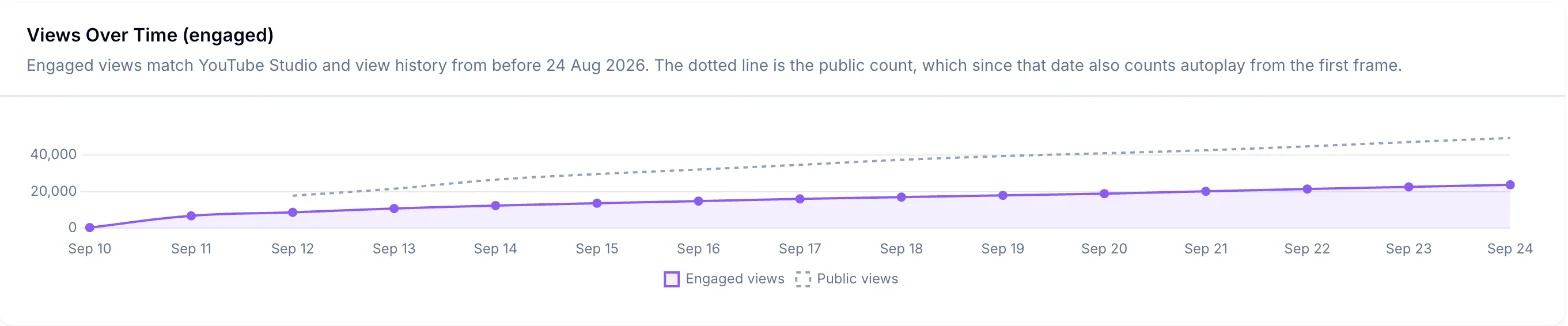
For videos published after August 24, the dotted public line usually runs well above the engaged line. The gap is autoplay and very short plays.
How Video Stats Calculates Engaged Views
YouTube's standard video data only includes the public count. Engaged views come from YouTube's reporting feed, so Video Stats builds each video's engaged total in two steps:
- Before August 24: engaged views equal the views Video Stats already collected, because they were the same measurement.
- From August 24 on: Video Stats adds each day's engaged views from YouTube's reporting feed.
This keeps every video's engaged total continuous from its first day, with no break at the change.
Things to Know
Engaged data runs about 3 days behind
YouTube's reporting feed lags roughly 3 days behind live. For the most recent days, you'll see public views until the engaged figures arrive. This is normal, and the numbers fill in automatically.
There's no channel-wide engaged total
YouTube only publishes a public view total for a whole channel. The channel views chart on your dashboard uses public views and says so in its description. Per-video charts show both.
Compare Shorts and long-form separately
Shorts autoplay constantly as people swipe, so their gap between public and engaged views is much wider than long-form's. Compare each format against its own history, not against each other.
Some older Shorts show public views only
Shorts changed their counting in 2025, before many channels connected to Video Stats. For an older Short, Video Stats can't reconstruct a complete lifetime engaged total, so it shows the public number instead of an incomplete one. Engaged figures for any date range after the Short's data begins are still accurate.
Using Engaged Views with AI Assistants
If you've connected Video Stats to Claude, ChatGPT or another assistant (see AI Assistant Setup (MCP Server)), every video result includes:
views: the number under the view type you asked for (engaged by default)views_basis: which view type that number actually usedengaged_viewsandpublic_views: both numbers, always
You can ask for either type, for example: "Show my top videos by public views." If engaged data isn't available yet for a video, the assistant gets the public number and views_basis says "public", so you never see a misleading zero.
FAQ
Did my views really go up after August 24?
Your public count did, because it now includes autoplay and very short plays. The number of people who chose to watch didn't change because of the switch. Engaged views show your real trend.
Does this change affect my earnings?
No. YouTube says engaged views are still how you qualify to earn, and Partner Program eligibility is unchanged.
Should I switch to public views?
Only if you specifically need to match the counter on the video page. For conversion rates and comparing with your history, keep engaged views.
Why doesn't my engaged number match YouTube Studio exactly?
Engaged figures arrive about 3 days late, so the last few days may still be filling in. Check again after a few days, and compare the same date range in both places.